Key Takeaways
- Container security spans the full lifecycle. Build time, registry, and runtime each carry distinct threats.
- Scanning detects. It doesn't prevent. It identifies known issues after the image is built and can't fix upstream packages.
- More than 90% of scanner alerts are false positives. Alert fatigue is structural. Context and exploitability matter more than raw CVE counts.
- Provenance and signing closes the trust gap. An unsigned image is an implicit trust assumption. Cryptographic signing and SLSA provenance make that verifiable and block supply chain attacks that scanning cannot detect.
- Runtime hardening limits blast radius. Read-only filesystems, shell-less containers, least privilege, and network segmentation constrain what an attacker can do even after achieving code execution.
- Enforce dev/production separation at the build level. Multi-stage builds and separate deployment targets keep debugging out of production by design.
Containers changed how software is built and deployed. They also changed how risk spreads.
A vulnerable base image can propagate across hundreds of workloads in hours. A compromised dependency upstream can enter production through trusted CI/CD pipelines. And because containers are ephemeral, highly distributed, and rebuilt constantly, traditional security approaches designed for static servers often fail to keep up.
Container security exists to address that reality. It focuses on securing the full lifecycle of containerized applications: what goes into an image, how that image is built and verified, where it is deployed, and how it behaves at runtime.
This article explains the core concepts behind container security, the most common threats affecting containerized environments, and the foundational practices organizations use to reduce risk across the software supply chain.
What Is Container Security?
Container security is the practice of securing the software, dependencies, build processes, registries, orchestration platforms, and runtime environments involved in containerized applications.
Unlike traditional servers, containers are built from layered images assembled through automated pipelines and shared extensively across environments. Every container therefore inherits trust decisions made upstream: the base image maintainer, the operating system packages, open-source dependencies, CI/CD systems, and deployment configuration.
Container security therefore focuses on four questions:
- What enters the image
- How the image is built and verified
- Where the image is stored and deployed
- How the container behaves at runtime
In practice, container security spans three control layers:
Image Security
Protecting the contents of the image itself:
- base images
- packages and dependencies
- secrets exposure
- provenance and signing
- vulnerability management
Infrastructure and Orchestration Security
Protecting the systems around containers:
- registries
- Kubernetes clusters
- CI/CD pipelines
- network communication
- access controls and policies
Runtime Security
Restricting what containers can do after deployment:
- least privilege enforcement
- filesystem restrictions
- workload isolation
- runtime anomaly detection
- attack containment
Because containers move rapidly through automated pipelines and are deployed at scale, security decisions made early in the lifecycle can affect hundreds or thousands of workloads downstream.
Why Container Security Is Different
Containers are not just lightweight virtual machines. They introduce a fundamentally different operational model.
Traditional servers are long-lived and individually managed. Containers are ephemeral, rebuilt constantly through CI/CD pipelines, and often derived from shared base images used across hundreds of workloads.
That changes how risk spreads.
A vulnerable package in a commonly used base image can propagate into thousands of running containers within hours. A compromised dependency upstream can propagate directly into production through trusted CI/CD pipelines. And because containers share the host kernel, runtime isolation boundaries behave differently than traditional VM isolation.
Security in containerized environments therefore depends less on manually hardening individual systems and more on establishing trust throughout the software supply chain.
Why It Matters
Scale. A mid-size engineering organization might run thousands of containers across environments, many ephemeral, many pulled from registries nobody individually reviewed. Security at that scale requires architecture, not vigilance.
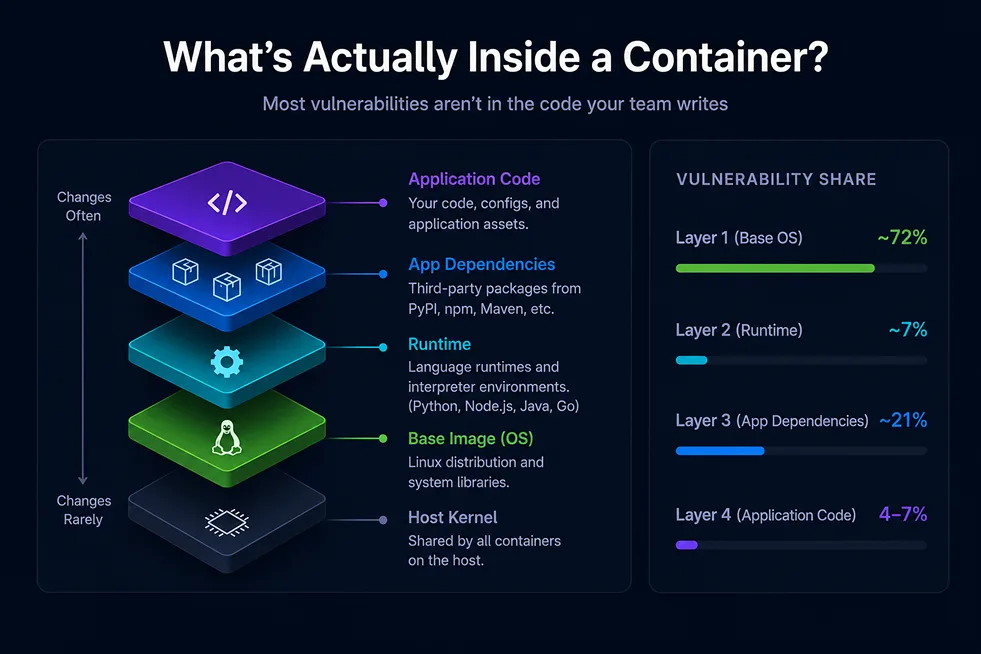
Inherited risk. A standard base image ships with 800 to 1,200 packages. Most applications need 20 to 30. The rest is unused code that still needs patching. Roughly 72% of container vulnerabilities live in the base OS layer. When one of those packages is vulnerable, fixing it means waiting on the upstream maintainer, the base image provider, your CI/CD rebuild, and deployment rollout. That chain takes 8 to 65 days.
Regulatory pressure is also increasing. Frameworks and regulations including Executive Order 14028, PCI DSS 4.0, the EU Cyber Resilience Act, FedRAMP, and DISA STIG now require stronger software supply chain controls, SBOM generation, hardened container environments, and verifiable security practices across the application lifecycle.
The Container Threat Landscape
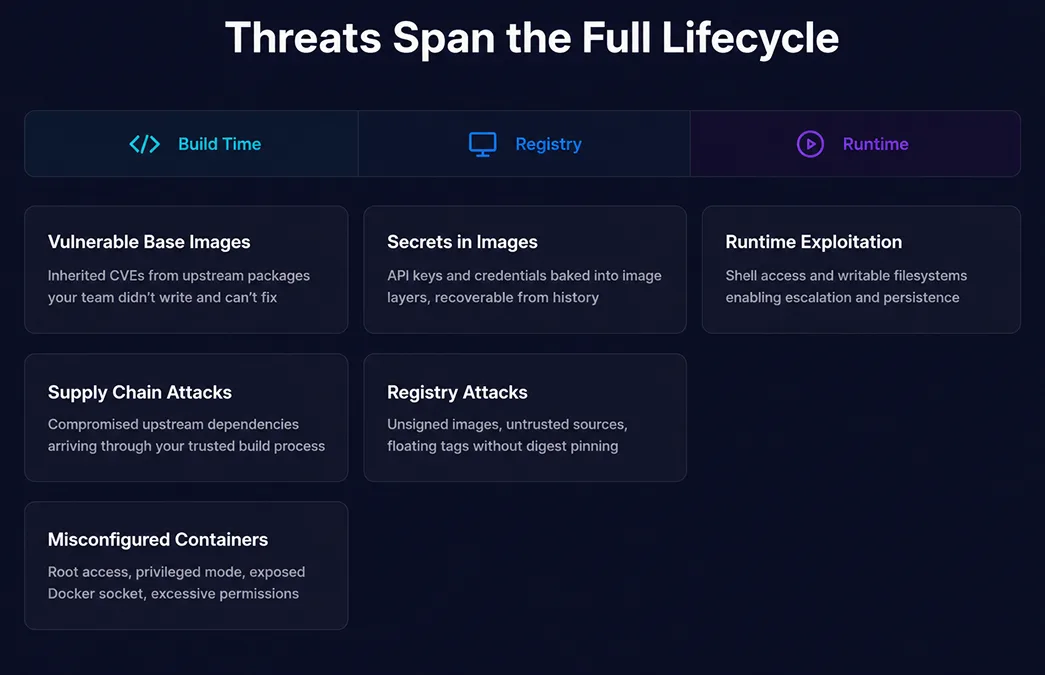
Vulnerable base images. Base images ship with packages that have known CVEs. Your team inherits them, triages them, and in most cases can't fix them because the fix lives in an upstream repository.
Supply chain attacks. Attackers compromise something upstream that your build process already trusts: a maintainer account gets hijacked, a backdoor is quietly inserted into an open-source project over months (as happened with xz/liblzma, CVE-2024-3094), or a near-identical package name is published to intercept a mistyped dependency. The malicious code arrives through a trusted channel, which is what makes it hard to catch.
Misconfigured containers. Containers running as root, privileged mode, the Docker daemon socket exposed inside a container, excessive workload permissions. These are common, easy to exploit, and entirely preventable.
Secrets in images. A credential written into an image layer is recoverable from the image history even if that layer was later removed. API keys and passwords accidentally baked into images are a frequent source of credential exposure.
Runtime exploitation. A standard container with a shell, a writable filesystem, and a package manager gives an attacker everything they need to escalate and persist after initial code execution.
Registry attacks. Pulling from untrusted registries, deploying unsigned images, and using floating :latest tags all represent trust placed without verification.
Security Across the Container Lifecycle
Build-Time Security
Build time is the cheapest place to fix security problems. A vulnerability caught before an image is built costs almost nothing to address. The same issue in production costs days.
Start with minimal base images. The fewer packages, the smaller the attack surface. Some teams go further and build from verified sources rather than inheriting from a pre-built OS. Stripping a bloated image reduces what's there, but you're still trusting everything that remains. Building from source means you know what's in the image because you compiled it.
Other build-time fundamentals:
- Multi-stage builds — compile in one stage, ship only the output in a minimal runtime image. Build tools and compilers never reach production.
- Non-root user — containers run as root by default. Setting an explicit non-root user limit what an attacker can do if they get in.
- Dockerfile linting — automated linting catches common misconfigurations before they become runtime risks.
Image Scanning
An image scanner matches packages against a database of known CVEs. It's useful for detection. It can't prevent vulnerabilities from entering images or fixing upstream packages.
The bigger problem is false positives. A vulnerability in a package function, your application never calls, isn't a real risk. But the scanner reports it. Around 90% of container security alerts are false positives, a structural problem with signature-based scanning, not a people problem.
Image Provenance and Signing
Without provenance, an image in your registry is a black box. You trust assuming it was built correctly, but that trust is unverifiable. Cryptographic signing closes this gap: the CI system signs the image after a build, and an admission controller verifies the signature before deployment. Any tampering between builder and cluster causes verification to fail. Industry frameworks like SLSA formalize these requirements into graduated levels, where higher levels make supply chain attacks significantly harder to execute undetected.
Software Bill of Materials (SBOM)
An SBOM is a machine-readable inventory of every software component in a container image: names, versions, licenses, and dependency relationships. SBOMs make scanner output actionable: a security engineer can cross-reference a CVE against the SBOM to confirm whether the vulnerable code path is present, eliminating manual triage of false positives.
Runtime Protection
Read only root filesystem. A writable filesystem helps an attacker. It allows writing backdoors, installing tools, and creating persistence. A read-only root filesystem removes all of that. Applications that need to write files should declare specific writable paths explicitly.
Shell-less containers. Most container attack chains follow the same sequence: achieve code execution, spawn a shell, escalate, and persist. Remove the shell and that sequence breaks at step two. If a shell process ever appears in a shell-less container, it's an unambiguous sign of compromise.
Least privilege. Containers get a default set of permissions broader than most applications need. Granting only what a workload actually requires, restricts what's possible, if it's compromised. Each workload should have its own Kubernetes service account with permissions scoped to what it needs.
Network segmentation. Containers on the same network can communicate freely by default. Kubernetes Network Policies let you define explicit rules so a compromised container can't freely pivot across the environment.
Shift Left Security
Moving security checks earlier makes them cost-effective to act upon. A vulnerable dependency caught before a commit is fixed in minutes. Caught in production, it costs days. The right checks at the right stage:
- Early in the pipeline — Dockerfile linting, dependency audits, base image verification
- At build — image scanning, SBOM generation, supply chain checks
- Gate to production — automated policy enforcement, signature verification
Supply chain checks before a build, like verifying dependency versions are pinned, and base images come from approved sources, add seconds to a pipeline and can prevent days of incident response.
Dev vs. Production Environments
Development containers and production containers need different security postures, enforced structurally rather than by convention.
Shells, writable filesystems, and debug tools make sense in development. The risk is configuration drift — tools and settings that belong in development accidentally ending up in production:
- A debug flag left in a deployment manifest
- A development base image accidentally used in a production build
- Elevated permissions set for local testing and never changed
Multi-stage Docker builds fix this by separating a development stage (with all the tooling developers need) from a production stage (built from a hardened minimal image). CI deploys the production target. The boundary is enforced by the build system, not memory.
When production debugging is necessary, Kubernetes ephemeral containers are the right answer: attach a temporary debug container to a running pod, debug, and when the session ends it's gone. The production image never contained the tooling.
What Good Container Security Looks Like
A checklist of the fundamentals, organized by lifecycle stage.
Build Time
- Base image is minimal, containing only packages the application actually needs
- Multi-stage builds separate build tooling from the production image
- No secrets, credentials, or environment variables baked into image layers
- Containers run as a non-root user
- Dockerfiles are linted before the image is built
Registry
- Images are cryptographically signed before being pushed
- Signatures are verified before deployment
- Image digests are pinned, no floating :latest tags in production
- Registry access is restricted to authorized systems and users
Runtime
- Root filesystem is read-only
- No shell present in production containers
- Linux capabilities are dropped to the minimum required
- Each workload has its own identity with least-privilege permissions
- Network policies enforce explicit allow rules with default deny
Supply Chain
- SBOM generated at build time and stored alongside the image
- Build provenance meets SLSA Level 2 or higher
- Dependencies are pinned and sourced from approved registries
- New CVEs are scanned against images already running in production
Process
- Development and production images are built from separate stages
- Security checks are automated in CI, not manual and not optional
- There is a documented process for responding when a critical CVE drops
Build Containers you can Trust
Container security is not a single tool or a one-time audit. It's a set of decisions made at every stage of the container lifecycle: what goes into the image, how the image is verified, and how the container behaves at runtime. Teams that treat it as only a scanning problem end up with dashboards full of alerts nobody can act on. The fundamentals covered here, from minimal base images and provenance to SBOM generation and runtime hardening, are the foundation every containerized environment should build on.
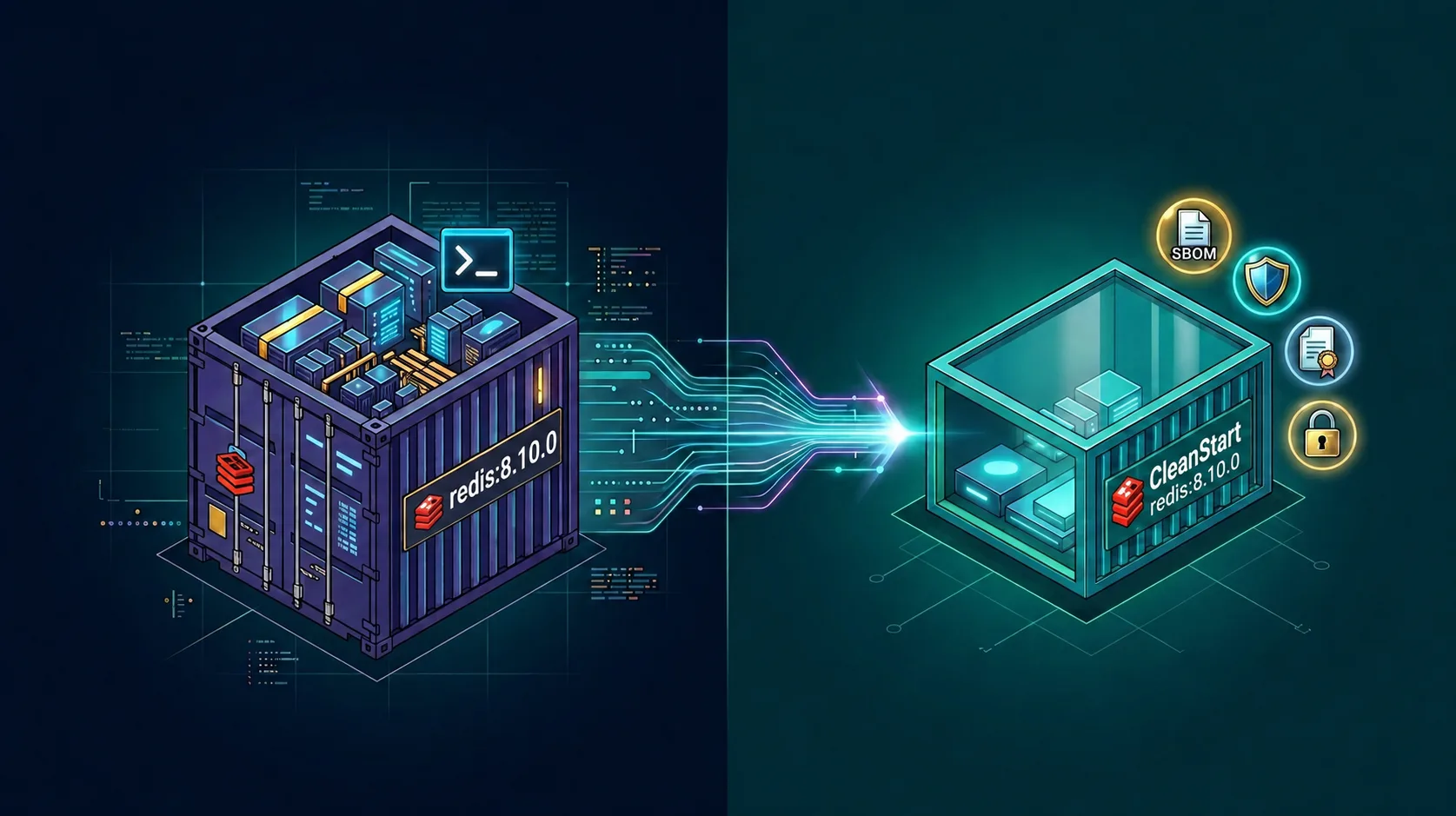
Getting there doesn't require rebuilding your pipeline from scratch. CleanStart provides source-built container images that ship with zero inherited CVEs, cryptographic provenance, and automated compliance artifacts, integrating into your existing workflow in under 30 minutes. Less time triaging alerts. More time shipping.
Request a demo to see what your containers look like with zero inherited CVEs.