

If your teams store container images in JFrog Artifactory, you can now scan them from CleanSight. Add a read-only identity token, and CleanSight finds every Docker and OCI image that token can see in your local and remote repositories. Pick the images you want, and CleanSight scans them for vulnerabilities and shows the fix for each one.
Images are scanned where they are stored. There is no export step and no second copy to keep in sync.
What you get
For each scanned image:
- An SBOM
- The vulnerabilities in the image, with the fix for each one
- The attack path, plus the cluster and node it runs on, if the image also runs in a Kubernetes cluster connected to CleanSight
Remote repositories are included
A remote repository proxies Docker Hub or another upstream registry and caches each image pulled through it. CleanSight reads that cache with an Artifactory Query Language (AQL) query, so upstream images your teams pulled appear next to the images you built. If the query fails or returns nothing, CleanSight checks the Docker catalog instead.
Access it needs
Discovery and scanning need only Read access. Create a dedicated Artifactory user with a read-only identity token, and give it:
- Read access on each Docker or OCI repository you want discovered and scanned
- Permission to call the repositories API
- Permission to run AQL against the cache of each remote repository
- Deploy/Cache on a remote repository only if you scan images from it that Artifactory may need to fetch from upstream again, for example after its cache is cleaned up
On-premises and in-cluster instances on private IP addresses work. The connection test rejects loopback and link-local addresses.
Certificate verification is off by default so instances with self-signed certificates can connect. Turn it on if your Artifactory has a trusted certificate.
Setup
- Add the connector with your Artifactory URL, a username, and a read-only identity token.
- CleanSight tests the connection. If the test fails, the connector is not saved.
- Run discovery. CleanSight lists your repositories and every image and tag in them, one row per tag.
- Pick images and scan. The scanner pulls each image with the same credentials.
See it live
Each JFrog discovery run appears on the Discovery page, with its status and the number of images scanned.
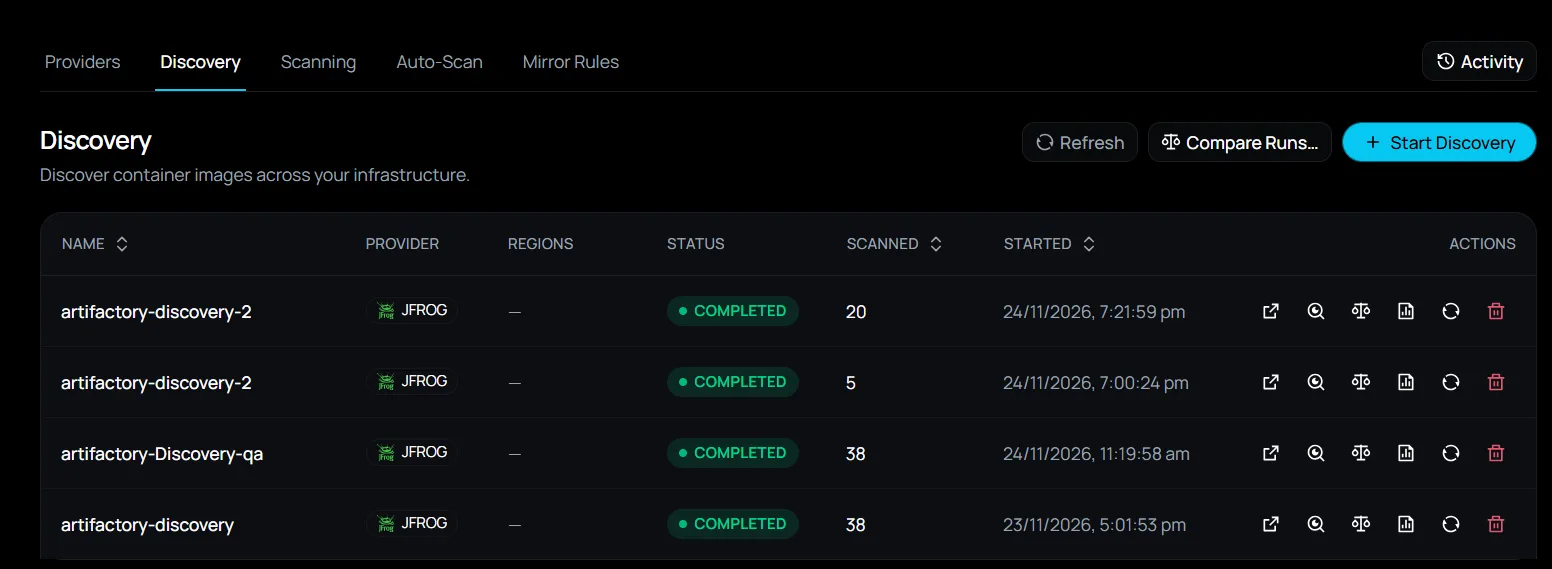
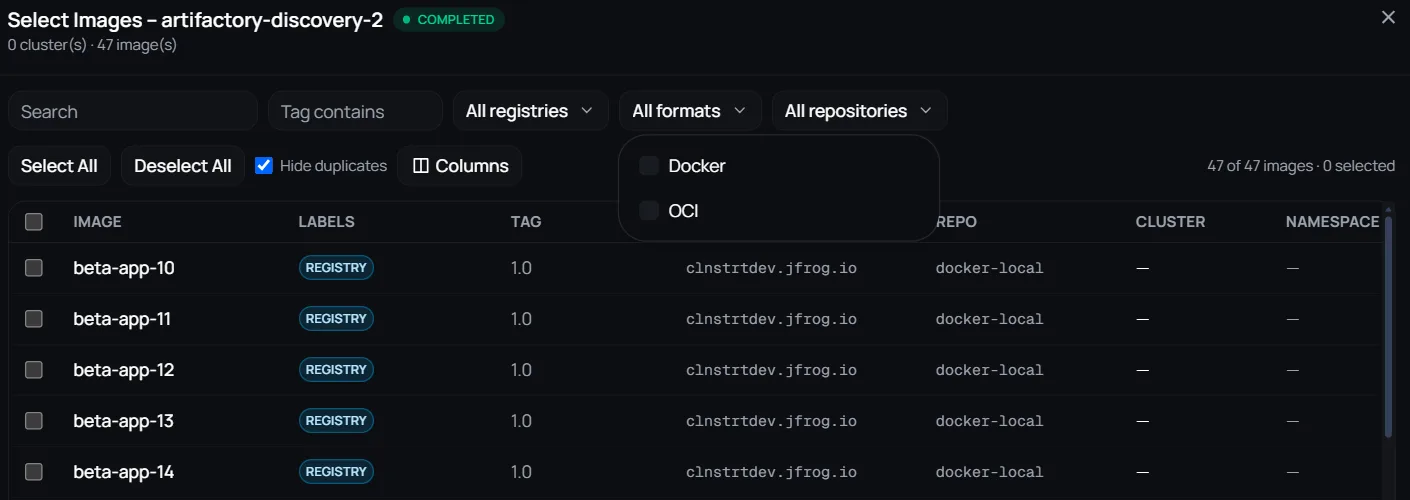
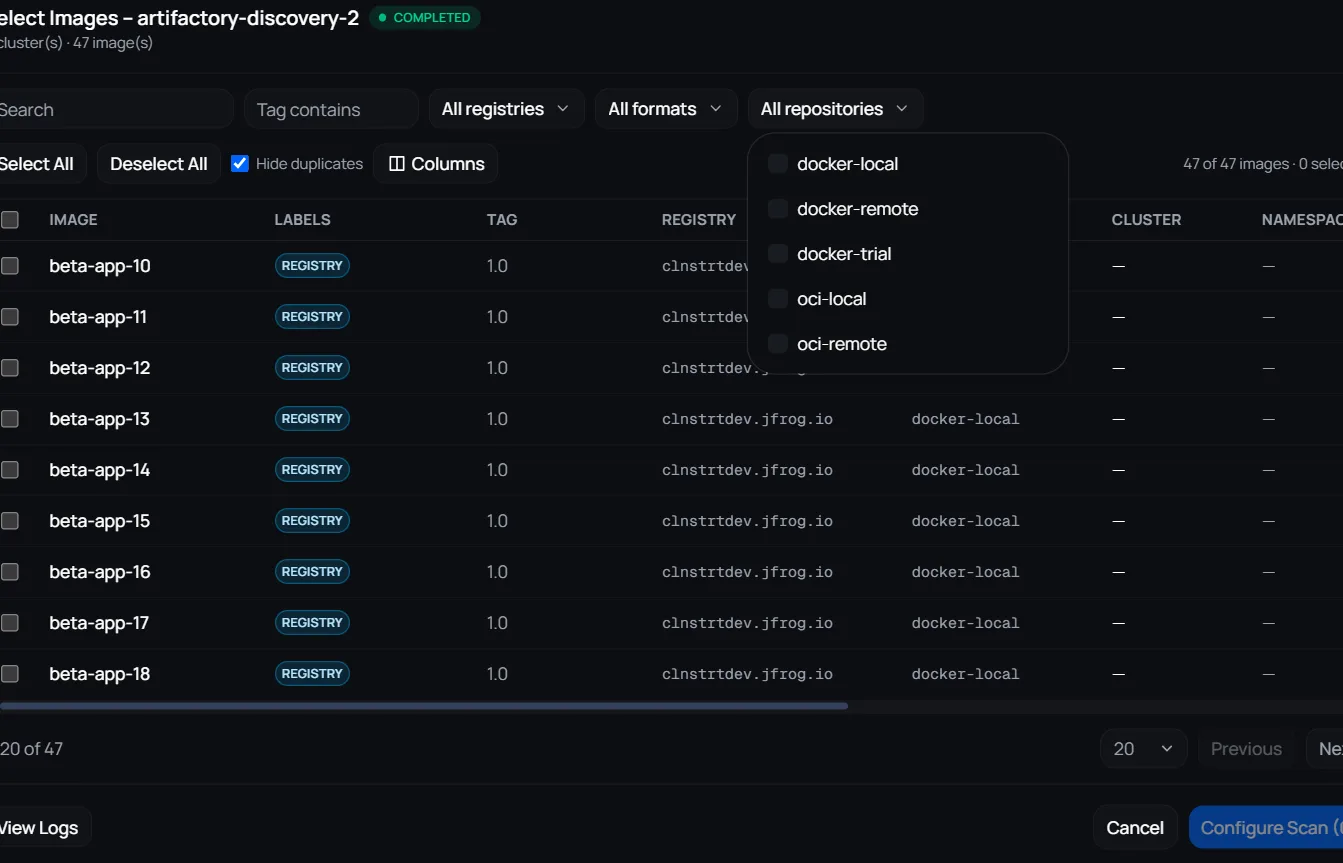
Open a run to choose what to scan. Filter by repository to scan just one repository or a few, such as docker-local or oci-remote, and leave the rest of the registry out of the scan. This lets each team scan the repositories it owns. You can also filter by format (Docker or OCI).
Before you connect
Turn on Repository Path. The scanner pulls images using references in the form host/repo-key/image:tag. This needs the Repository Path access method in Artifactory. With the Subdomain or Port method, scans fail.
JFrog Container Registry works. If the repositories API is unavailable, the connection test falls back to the Docker catalog and then a login check.
Empty remote repository? Either nothing is cached in it yet, or the user can't run AQL against its cache. Pull one image through it, check the AQL permission, and run discovery again.
Need help setting up the connector? Contact our team and we'll help you get connected.
Contact us